
PageFuse · Chrome extension
Developer tools · by ThinkFlow
The whole page. Pixel perfect.
PageFuse captures any webpage from top to bottom, then gives you a proper editor to crop, annotate and blur before you export. It runs entirely in your browser: no account, no backend, no watermark.
- ✓ No watermark
- ✓ No uploads
- ✓ PNG · JPG · WebP · PDF
- ✓ Free
How it works
Capture, edit, export. Locally.
- 01
Click the PageFuse icon
Choose Capture Full Page, Visible Area or Select Element. Turn on Clean capture to hide pop-ups.
- 02
Watch it stitch
Progress shows in the popup while PageFuse scrolls and stitches. Your page is restored exactly as it was.
- 03
Edit and export
The preview opens automatically. Annotate in the editor, then save as PNG, JPG, WebP or PDF, or copy it.
See it in action
A full page in one click
Dashboards your team actually trusts.
Connect a database, pick your metrics and share a live view in minutes.
Revenue
$84.2k
Active users
12,940
Churn
1.8%
Why acme
Everything in one view
SQL or no-code
Built for teams that need answers before the meeting starts.
Live alerts
Built for teams that need answers before the meeting starts.
Share anywhere
Built for teams that need answers before the meeting starts.
Row-level access
Built for teams that need answers before the meeting starts.
Scheduled reports
Built for teams that need answers before the meeting starts.
99.99% uptime
Built for teams that need answers before the meeting starts.
Simple pricing
Starter
$0
✓ Feature 1
✓ Feature 2
✓ Feature 3
✓ Feature 4
Team
$29
✓ Feature 1
✓ Feature 2
✓ Feature 3
✓ Feature 4
Scale
$99
✓ Feature 1
✓ Feature 2
✓ Feature 3
✓ Feature 4
PageFuseacme.devDashboards your team actually trusts.
Connect a database, pick your metrics and share a live view in minutes.
Revenue
$84.2k
Active users
12,940
Churn
1.8%
Why acme
Everything in one view
SQL or no-code
Built for teams that need answers before the meeting starts.
Live alerts
Built for teams that need answers before the meeting starts.
Share anywhere
Built for teams that need answers before the meeting starts.
Row-level access
Built for teams that need answers before the meeting starts.
Scheduled reports
Built for teams that need answers before the meeting starts.
99.99% uptime
Built for teams that need answers before the meeting starts.
Simple pricing
Starter
$0
✓ Feature 1
✓ Feature 2
✓ Feature 3
✓ Feature 4
Team
$29
✓ Feature 1
✓ Feature 2
✓ Feature 3
✓ Feature 4
Scale
$99
✓ Feature 1
✓ Feature 2
✓ Feature 3
✓ Feature 4
An interactive walkthrough built from the real extension. Use the chapters to jump around.
Features
Built for developers, designers and QA
The whole page, one click
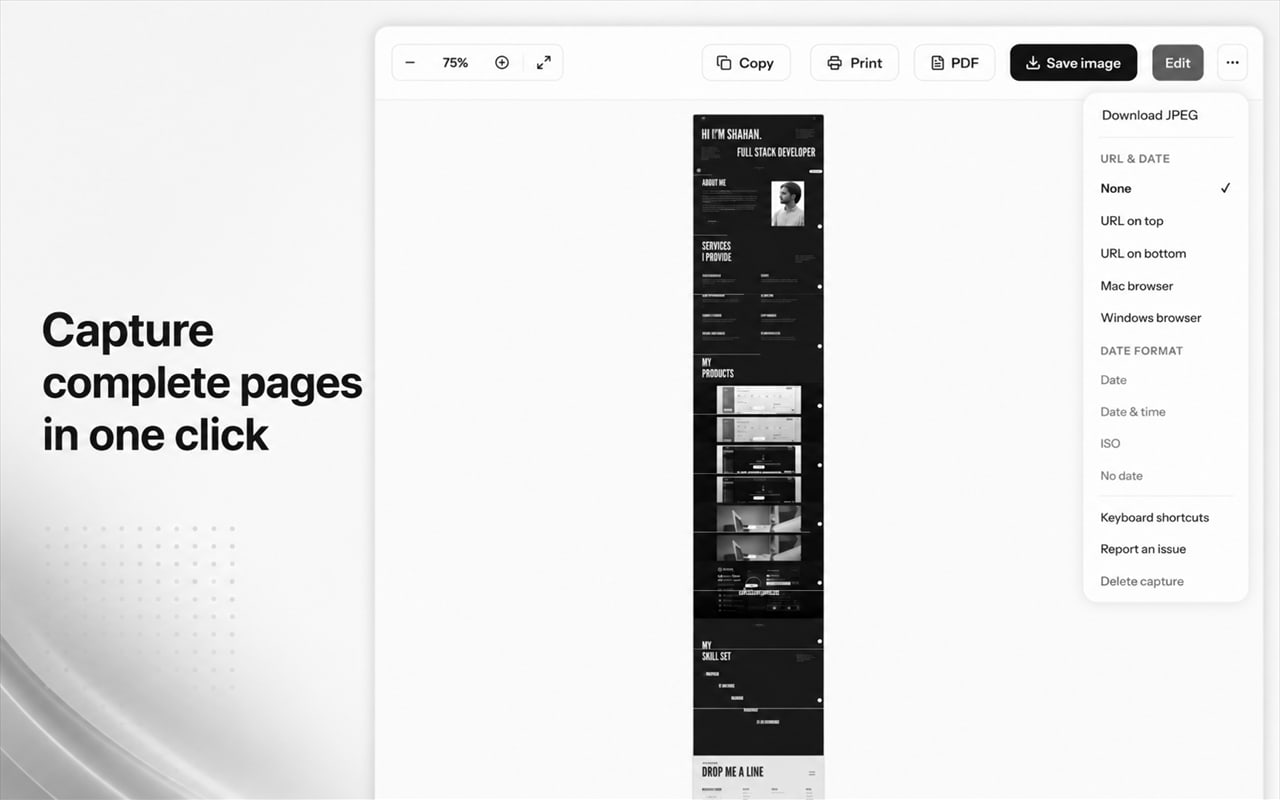
PageFuse scrolls viewport by viewport, waits for lazy images, and stitches every frame into one high-resolution image.
Visible area or one element
Grab just what's on screen, or hover to pick a single element and capture it with its exact dimensions.
Sticky headers, handled
Fixed and sticky bars are shown once, where they belong, instead of repeating down the whole capture.
Annotate and blur
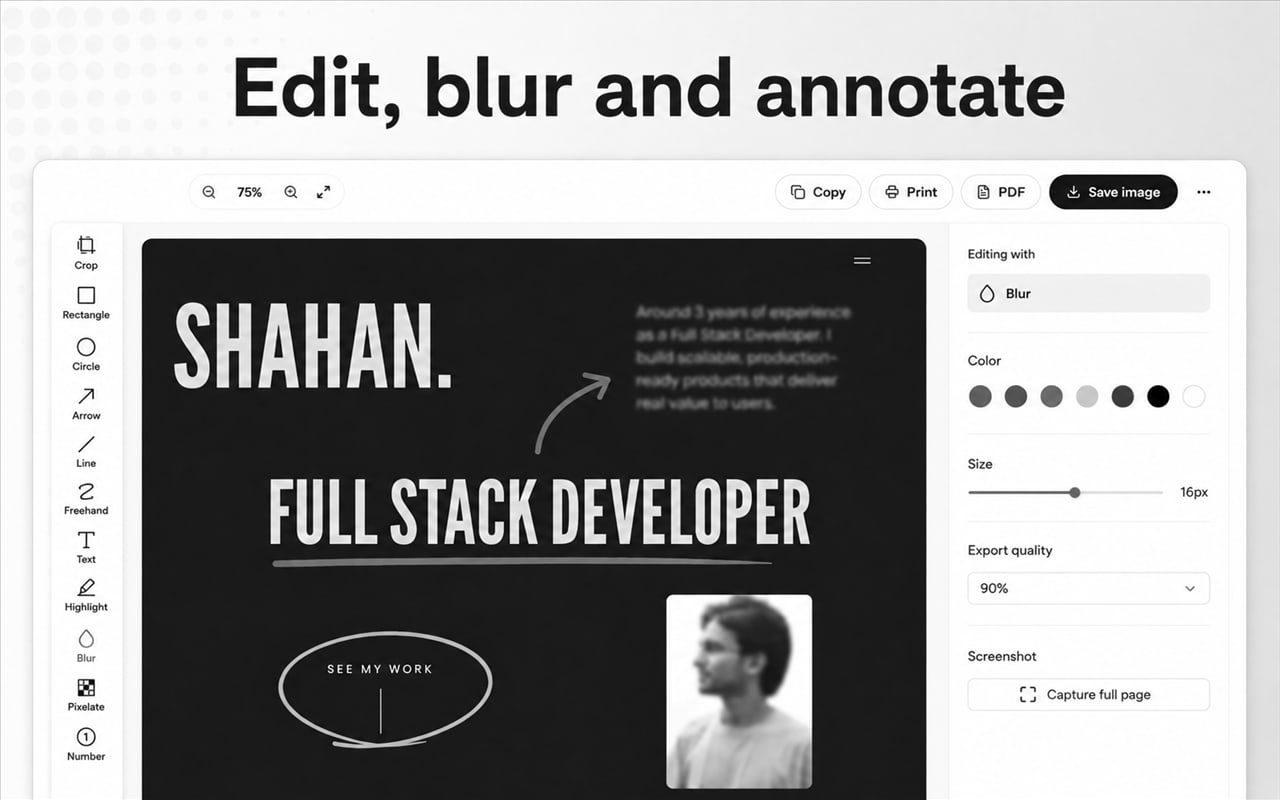
Crop, rectangles, circles, arrows, freehand, text, highlights, blur, pixelate and numbered markers, with undo and redo.
Export your way
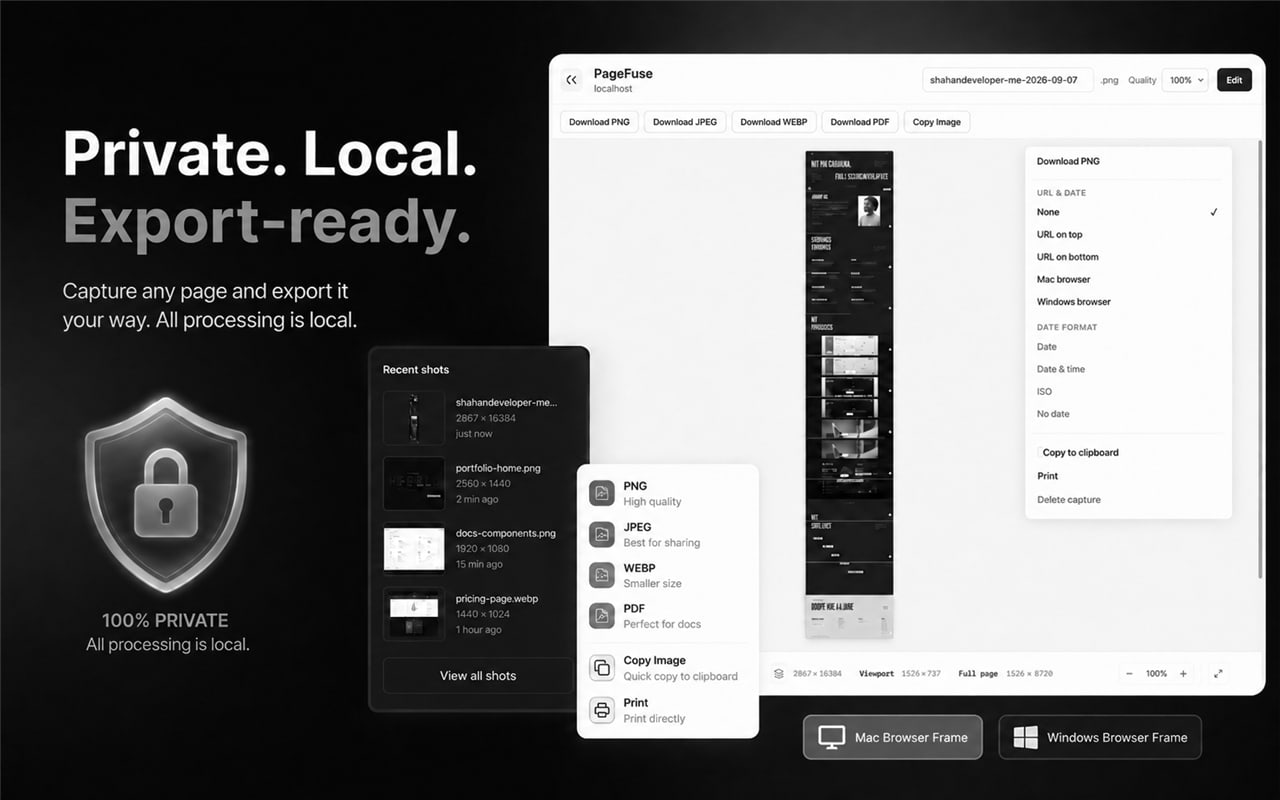
PNG, JPG, WebP or a printable PDF, copy to clipboard, print, add the URL and date, or frame it in a Mac or Windows browser.
Clean capture
Optionally hide cookie banners, chat bubbles and floating buttons while capturing, then put them back.
Screenshots
Every feature, up close
On the Chrome Web Store
Loved by its first users
- Installs from the Chrome Web Store
- 40+
- Average rating
- 5.0★★★★★★★★★★
- Ratings
- 1
No reviews yet.
Written reviews from the Chrome Web Store appear here. Leave the first one, or tell us what you think at muhammadshahan059@gmail.com.
Private by design
Your screenshots never leave your browser
Most screenshot tools upload your captures to their cloud. PageFuse doesn't have one. Internal dashboards, customer data and unreleased work stay on your computer.
Read the privacy policy →- Account
- Not needed
- Uploads
- None
- Analytics and tracking
- None
- Watermark
- Never
- Captures
- Stored locally, you choose how many
Questions
Is there a watermark?+
No. Never. What you capture is what you export.
Do my screenshots get uploaded?+
No. PageFuse has no backend. Capturing, stitching, editing and exporting all happen in your browser, and recent captures are kept in local storage on your computer.
What about really long pages?+
Chrome limits how big a single image can be. PageFuse first lowers the resolution only as much as needed to keep the page in one image, and only splits extremely long pages into numbered parts.
Why can't I capture some pages?+
Chrome doesn't allow extensions on protected pages such as chrome:// pages and the Chrome Web Store. PageFuse tells you when that's the case instead of failing silently.
Do I need an account?+
No. Install it and press capture.
Read the PageFuse Privacy Policy.